What Is an Agentic Browser?
An agentic browser is a browser that uses autonomous AI agents to complete tasks on the web for the user, rather than the user having to manually perform each step. Instead of navigating a website, clicking links, and filling out forms themselves, users provide a high-level instruction, and the AI agent handles the research and execution from start to finish.
Examples of agentic browsers are dedicated AI browsers like ChatGPT Atlas, Perplexity Comet, and Opera Neon, as well as AI features integrated into consumer browsers like Chrome and Firefox.
How agentic browsers work:
- Natural language input triggers task planning: Users begin by providing a high-level instruction or goal. The browser interprets this input using an embedded language model, breaking it down into specific steps needed to accomplish the task.
- Autonomous navigation and interaction: The browser agent simulates user behavior (clicking, scrolling, and typing) to navigate web pages, interact with forms, and retrieve information. It operates across multiple sites without user input.
- Real-time decision-making and error handling: The agent adapts dynamically to page layouts, unexpected popups, or errors during execution. It uses contextual understanding to revise its approach or reattempt steps as needed.
- Output generation or task completion: Once the task is complete, the agent delivers results in a structured format, such as a summary, table, or completed transaction. The user receives outcomes, not just data.
In this article:
- The Rise of Agentic Browsers
- How Agentic Browsers Work
- The Pros and Cons of Agentic Browsers
- New Cyber Risks Targeting Agentic Browsers
- Notable Agentic Browsers
The Rise of Agentic Browsers
The concept of agentic browsing emerged from early advances in web automation and conversational AI. Before modern AI agents, users relied on basic browser extensions, scripts, and chatbots that could automate only narrow tasks. The introduction of large language models and multimodal AI enabled browsers to understand context, perform reasoning, and execute complex multi-step actions.
Early experiments with AI-driven browsing appeared in the late 2010s with automation frameworks like Selenium and robotic process automation tools, but these required technical setup. The turning point came in the early 2020s as consumer-facing AI interfaces, such as ChatGPT, Bing AI, and browser-integrated assistants, demonstrated that non-technical users could interact with the web through natural language.
By the mid-2020s, major browser vendors began integrating agentic capabilities directly into their products. New AI-first browsers launched with features like autonomous page exploration, form completion, live data extraction, and workflow execution. Adoption accelerated as consumers sought faster, more automated ways to handle everyday online tasks, and businesses adopted agent-driven tools to streamline research, data gathering, and operations.
Related content: Read our guide to AI browser extension
How Agentic Browsers Work
Agentic browsers operate by embedding a large language model (LLM) directly into the browser, enabling it to interpret natural language commands and execute web-based tasks autonomously. This integration transforms the browser from a passive interface into an active agent capable of performing complex actions on behalf of the user.
Natural language input triggers task planning
The process begins when a user provides a high-level goal, such as “book a flight to New York next week” or “find the top five competitors’ new product releases.” The AI then breaks this request into smaller, actionable steps. For example, booking a flight may involve navigating to a travel website, entering location and date details, filtering results, and completing a payment form.
Autonomous navigation and interaction
Once the steps are defined, the agent carries them out programmatically. It simulates user interactions by clicking buttons, filling out forms, and scraping data from pages, all without user intervention. This allows the browser to move across sites and interfaces much like a human would, but with greater speed and consistency.
Real-time decision-making and error handling
As the agent navigates the web, it monitors for unexpected issues like page load failures, missing elements, or changes in site structure. Using contextual reasoning, it can adjust its strategy, such as retrying an action, choosing an alternative path, or asking the user for clarification, to maintain progress without stalling.
Output generation or task completion
After completing the required actions, the agent either returns synthesized results, such as a summary or a report, or finishes the task, like submitting a form or finalizing a transaction. This end-to-end automation enables users to delegate not just navigation but entire workflows to the browser.
The Pros and Cons of Agentic Browsers
Agentic browsers offer powerful automation for web tasks but come with limitations around control, reliability, and compatibility. Below is a breakdown of their key advantages and drawbacks.
Pros
- Automated workflows: Agents can handle multi-step tasks like booking, form filling, and comparison shopping without user input.
- Improved productivity: Users can delegate routine tasks and focus on more valuable work.
- 24/7 availability: Agents operate continuously, monitoring sites for updates or deadlines in real time.
- Lower cognitive load: Simplifies decision-making by turning complex tasks into high-level goals.
- Personalization: Over time, agents adapt to user preferences and streamline recurring workflows.
Cons
- Privacy and security risks: Agents need access to sensitive data, increasing exposure to breaches or misuse.
- Loss of control: Users may miss important context or outcomes when the agent handles everything.
- Compatibility issues: Some websites block or break under automated interaction, causing task failures.
- Dependence on AI accuracy: Misinterpretation of tasks can lead to costly or irreversible mistakes.
- Limited judgment: Agents struggle with subjective decisions or tasks needing emotional or cultural understanding.
New Cyber Risks Targeting Agentic Browsers
As agentic browsers gain adoption, their autonomous nature introduces a new class of cybersecurity risks. Unlike traditional browsers, which rely on user intent and control, agentic browsers make decisions independently, executing actions across the web without real-time human oversight. This shift expands the attack surface and alters the threat model in several ways:
Prompt Injection and UI Exploits
Agents interpret and act on natural language prompts. This creates opportunities for attackers to embed hidden or misleading instructions within websites or applications. Malicious prompt injections, often invisible to users, can redirect agent behavior, leading to unintended actions such as leaking sensitive data, making purchases, or altering workflows. UI misinterpretation attacks further exploit how agents “see” the interface, using manipulated elements like fake buttons or obfuscated fields to deceive agents into triggering harmful actions.
Memory Persistence and Data Leakage
Many agentic browsers maintain memory across tasks or sessions, allowing them to provide context-aware assistance. However, this persistence creates risk. If an attacker compromises the agent, they can access stored data such as login credentials, personal identifiers, or confidential enterprise content. Worse, agents may inadvertently reuse tainted or outdated information, compounding the impact over time.
Cross-Session and Multi-Agent Exploits
Because agentic browsers can carry context across tabs, apps, or workflows, they are vulnerable to cross-session misuse. Attackers can exploit these connections to hijack sessions or redirect actions across seemingly unrelated tasks. In complex workflows involving multiple agents or external APIs, a compromise in one component, such as a plugin or third-party integration, can cascade, undermining the entire chain of trust.
Supply Chain and Shadow Agent Risk
Agentic browsers frequently rely on external tools and services to complete tasks. This dependency introduces supply chain vulnerabilities. If an agent invokes a compromised plugin, API, or “middle-agent,” attackers can intercept or manipulate the workflow. These shadow interactions may go unnoticed, enabling fraud, data exfiltration, or regulatory violations.
Notable Agentic Browsers
1. ChatGPT Atlas

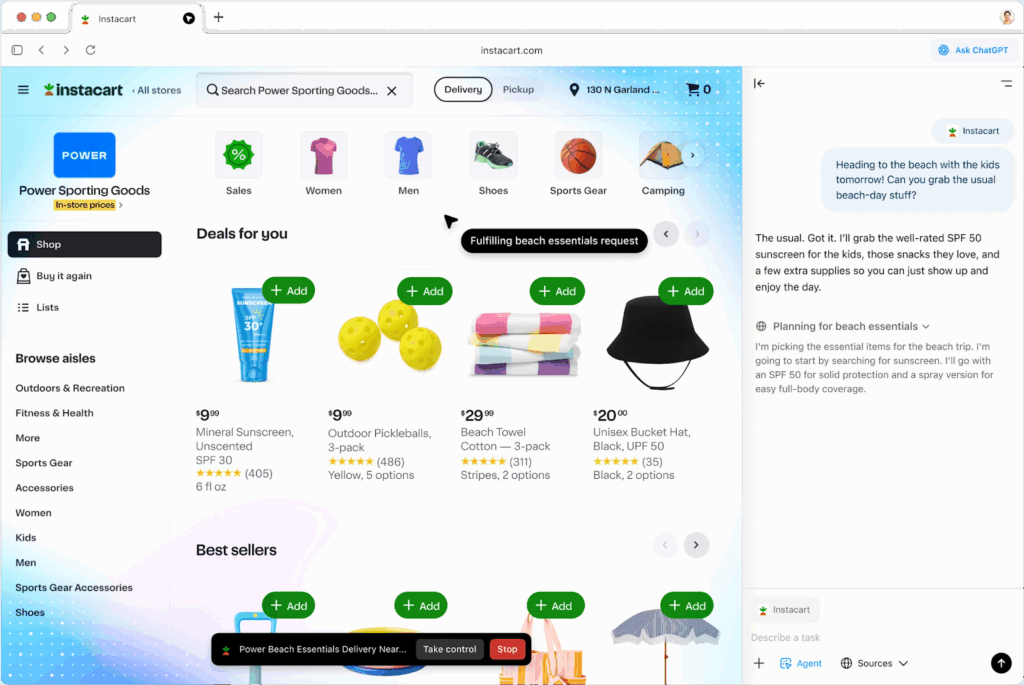
ChatGPT Atlas is OpenAI’s agentic browser, intended to transform the traditional browsing experience into a task-oriented workflow assistant. Built on top of ChatGPT, Atlas embeds AI capabilities throughout the browser, allowing it to understand user intent, take contextual actions, and automate multi-step tasks across the web.
Key features include:
- Agent mode for task execution: Enables ChatGPT to take actions in the browser—like clicking, navigating, and completing forms—based on user instructions, useful for tasks such as booking appointments or generating reports.
- Integrated memory system: Remembers previous browsing sessions and page content to provide context-aware assistance; users can view, archive, or delete memories at any time.
- Context-aware chat: ChatGPT can interpret and act on the content being viewed without needing manual input, creating a connection between the page and the assistant.
- Search and ask from one place: Users can enter URLs or questions into the new tab search bar and receive results that combine search engine links, answers, and chat suggestions.
- Privacy and visibility controls: Lets users control what ChatGPT can see and remember, with per-site visibility toggles and incognito browsing options that disable data retention.
2. Perplexity Comet

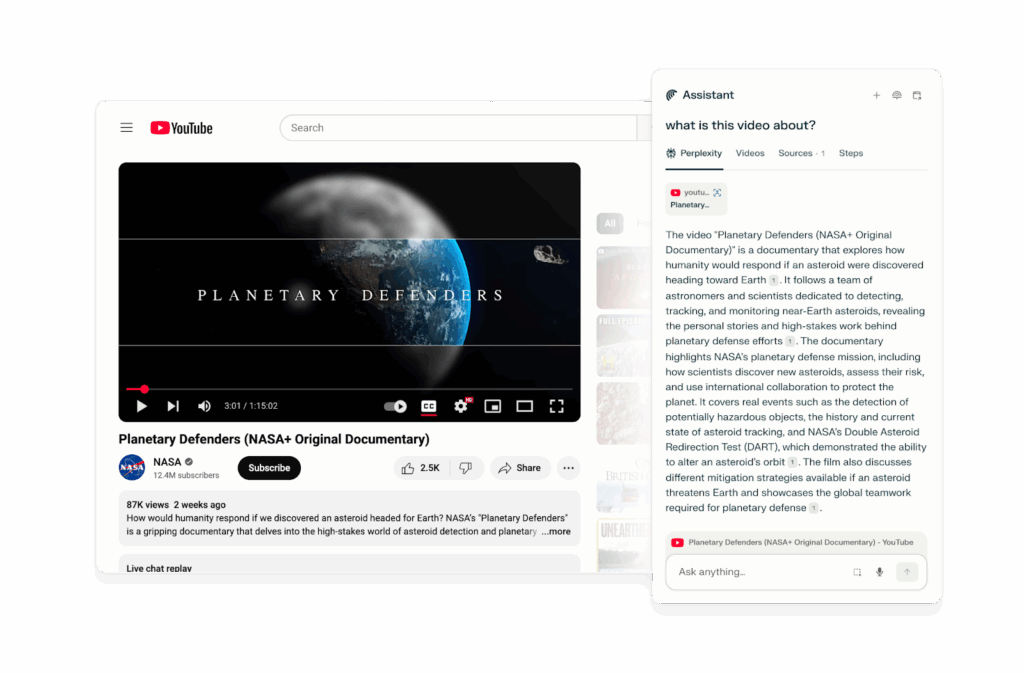
Comet Browser is an AI-native browser developed by Perplexity for agentic browsing. Unlike traditional browsers that simply display content, Comet has an integrated assistant that can search, reason, and take real action on the user’s behalf. It enables the browser to navigate the web, interact with open tabs, access calendars and email, and complete tasks as if it were a human assistant. It is still in beta and invite-only.
Key features include:
- Agentic web navigation: Comet Assistant can autonomously navigate websites, open new tabs, click elements, and take action to fulfill user requests, creating a hands-free browsing experience.
- Perplexity integration: Built-in Perplexity search delivers context-aware answers directly in the browser, combining fast research capabilities with real-time web interaction.
- Email and calendar access: Comet connects to Gmail and Google Calendar with full read/write permissions, allowing it to summarize messages, surface important emails, and check availability for scheduling tasks.
- Voice assistant for the web: Users can speak naturally to the assistant to ask questions, analyze content, summarize videos, or trigger workflows.
- Contextual awareness across tabs: The assistant understands and interacts with open tabs, enabling focused, relevant help across multi-tab research or task flows.
3. Fellou

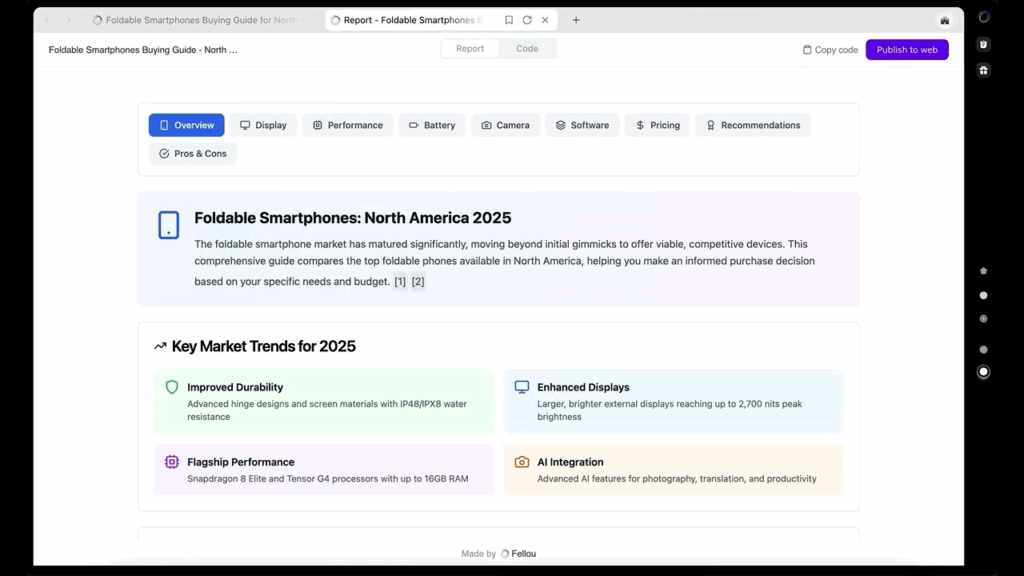
Fellou is an AI-native agentic browser for end-to-end web automation. It performs multi-step tasks across apps and websites, including conducting market research, filling forms, booking travel, or generating reports from Notion notes. Its “Deep Action Agent” interprets the user’s intent, creates a step-by-step plan, and executes it autonomously.
Key features include:
- Deep Action Agent: Converts natural language prompts into structured workflows, handling web navigation, data scraping, form submission, and app switching from a single command.
- Action planning interface: Before taking action, Fellou generates an execution plan users can review and adjust.
- Multi-app workflow automation: Executes cross-platform tasks across Google, Notion, Reddit, and X, allowing integration of data gathering, comparison, and reporting.
- Agentic memory: Remembers browser history, notes, and actions to answer questions about past work.
- Live user intervention: Lets users pause and modify the AI’s steps at any moment, ensuring transparency and human oversight in tasks.
4. Dia Browser

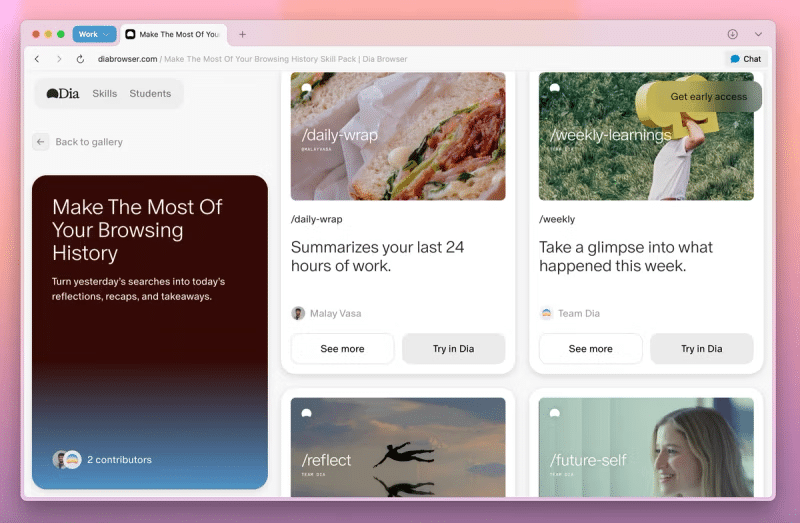
Dia Browser is a minimal, AI-focused browser developed by The Browser Company, the team behind Arc. Still in beta and available to Arc users, Dia strips away the power-user features and design complexity of Arc in favor of a lightweight, Chrome-like interface built around ambient AI assistance.
Key features include:
- AI sidebar: Dia’s assistant is always accessible and designed to summarize pages, answer questions, and support quick research tasks with conversational ease.
- Minimal interface: Prioritizes a familiar and approachable layout, closer to Chrome or Safari, making it an entry point for general users.
- Skill-based interaction: Supports predefined AI “Skills” that run custom actions based on page context, offering light automation for tasks like summarizing content or extracting key data.
- Contextual learning: With user permission, Dia learns from browsing history to improve response quality and personalize its assistance over time.
- TBC ecosystem integration: While simpler than Arc, Dia shares design aspects with it and benefits from The Browser Company’s ecosystem and backing (now under Atlassian).
5. Opera Neon
Opera Neon is a Chromium-based browser that blends familiar web browsing with integrated AI functionality. Developed by Opera and available for macOS and Windows, Neon aims to enable browsing with automation, assistant capabilities, and a new “Card” system for customizable AI behaviors.
Key features include:
- AI assistant with dual agent modes:Includes both an in-browser AI agent and a virtual agent. If one approach fails to complete a task, users can try again using the other.
- Card-based assistant customization: Cards act like AI mini-extensions, prebuilt instruction sets that users can toggle on for specialized tasks. Examples include trip planning, budgeting help, or research workflows.
- Ad blocker and VPN: Inherits Opera’s privacy tools, including integrated ad blocking and VPN support, reducing the need for external extensions.
- Highlight and explore: Highlights text on a webpage to trigger the assistant with context-aware help, definitions, or deeper exploration.
- Chromium compatibility: Supports standard Chrome extensions and sync features to transition from other Chromium-based browsers like Chrome, Edge, or Brave.
Agentic Browser Security with Seraphic
Agentic browsers fundamentally shift the risk landscape: autonomous AI agents execute multi-step tasks, access sensitive data, and interact dynamically with web content, often without direct human oversight. While this unlocks speed and productivity, it also creates new opportunities for cyber attackers: prompt injection, memory persistence exploits, cross-session attacks, and supply chain manipulation. Traditional browser security models weren’t designed for the autonomous, context-aware nature of agentic agents or their continuous exposure to complex web threats.
Seraphic addresses these challenges with a purpose-built approach. Seraphic’s advanced browser protection controls agent permissions, detects and neutralizes malicious prompt manipulation, and provides visibility into agent actions. Security policies are enforced in real time, maintaining privacy, integrity, and safe task execution even as agentic browsers evolve. With Seraphic, enterprises can embrace agentic automation without fear, turning autonomous browsing into a secure productivity multiplier.
About the Author