
What Is an AI Browser?
An AI browser is a web browser enhanced with artificial intelligence features to improve how users interact with and consume web content. Unlike traditional browsers, which focus mainly on rendering pages and providing manual navigation, AI browsers embed features such as natural language search, real-time summarization, personalized content recommendations, and automated agentic workflows.
These functions are powered by generative AI models that interpret user intent, anticipate needs, and perform actions proactively. AI browsers leverage advancements in AI to assist users with complex tasks directly within the browser environment. They can extract key facts from articles, generate concise summaries, fill out forms, engage in conversational interactions, and even perform complex multi-step tasks autonomously.
In this article, we’ll review some of the most popular and innovative AI browsers on the market:
- ChatGPT Atlas: Native ChatGPT integration with memory and agent automation inside a standalone browser.
- Perplexity Comet: A task-oriented browser that automates research, tab management, and scheduling with voice and email/calendar integration.
- Opera Aria: AI assistant embedded in Opera with tab control, writing tools, and image analysis via natural language commands.
- Microsoft Edge Copilot: Built-in assistant offering page summaries, content creation, and video insights directly in Edge.
- Brave Leo: Privacy-focused browser with a no-login AI assistant for on-page summarization, translation, and content generation.
- Maxthon: A secure, Web3-compatible browser with built-in AI chat, VPN, and cross-platform sync.
- Dia: Assistant-focused browser by Arc’s team, offering inline AI help for writing, research, and planning with local privacy controls.
- Sigma: Agentic browser with full workflow automation, site login, and deep research capabilities using plain language.
- Fellou.ai: Fully autonomous browser for executing multi-platform tasks, research, and desktop integration via natural language.
- DuckDuckGo: Privacy-first browser that integrates anonymous AI chat and blocks trackers, ads, and data collection by default.
In this article:
- Evolution of Browsing: From Static Pages to Agentic Assistants
- What Are AI Browsers Used For?
- Key Features to Look For in an AI Browser
- AI Browsers vs. AI Browser Extensions
- Are AI Browsers Secure?
- 10 Notable AI Browsers
- Challenges and Limitations of AI Browsers
- Pro Tips for Using AI Browsers Securely
Evolution of Browsing: From Static Pages to Agentic Assistants
Traditional Browsers
Before AI became part of the browsing experience, browsers like Chrome, Firefox, and Safari primarily focused on:
- Rendering HTML, CSS, and JavaScript
- Enabling manual navigation through search bars, tabs, and bookmarks
- Providing basic features like history, extensions, and password storage
These browsers were essentially “windows to the web,” requiring users to manually locate information, sift through results, and execute tasks step by step.
Browsers with Integrated AI Assistants
The next stage of evolution introduced AI as add-ons or side tools within the browser. Instead of replacing the browsing experience, AI acted as an intelligent helper.
Key capabilities included:
- AI-powered search that understands natural language
- Article summarization directly on webpages
- Built-in chatbots, such as Microsoft Copilot or Opera’s Aria
- Smart tab management
- Content rewriting and translation
These browsers were still user-driven, but AI began to reduce the manual workload, speeding up research, content generation, and productivity tasks.
Fully Agentic Browsers
We are now entering a new era: fully agentic browsers, capable of performing complete workflows autonomously.
These next-generation browsers can:
- Navigate across pages on their own
- Fill out forms and perform checkout tasks
- Book appointments or compare services automatically
- Conduct research end-to-end and deliver structured results
- Trigger multi-step agentic workflows based on user goals
- Keep context across tabs, sessions, and tasks
Instead of simply helping users browse the web, these browsers use the web on the user’s behalf. They function like on-device AI agents capable of taking actions, not just generating text.
What Are AI Browsers Used For?
Here are some of the common use cases for AI browsers.
AI-Driven Research and Knowledge Workflows
AI browsers are particularly useful for research-intensive workflows, such as academic or professional research. By automatically summarizing lengthy documents, extracting citations, and suggesting relevant sources, these browsers simplify the process of gathering, understanding, and cross-referencing large volumes of information. Users can focus on analysis and synthesis instead of manual data collection and navigation.
Automated Web Interaction and Form Filling
AI-powered browsers can significantly reduce time spent on repetitive web tasks, such as filling out forms, managing online registrations, or interacting with web-based portals. By using machine learning to recognize common forms and auto-populate them based on previous user inputs or stored profiles, these browsers reduce error rates and simplify workflows.
Personalized Information Dashboards
AI browsers can aggregate and personalize information across a user’s interests, organizing it in dashboards that update dynamically. By learning user behavior and preferences, these dashboards present news, alerts, calendar events, and relevant documents without the need to visit multiple websites. The browser curates content, filtering noise and highlighting actionable insights.
Voice-Driven Browsing and Accessibility
AI browsers increasingly support voice navigation, allowing users to interact with web content hands-free. Complex tasks, ranging from searching by voice, dictating emails, or navigating between tabs, can be performed accurately through natural language commands. This promotes accessibility for users with mobility impairments or those who prefer voice input over traditional methods.
Key Features to Look For in an AI Browser
AI browsers vary in capabilities, but several core features define the current generation of intelligent browsing tools. These features aim to reduce manual effort, improve content relevance, and enhance productivity directly in the browsing experience.
- Natural language interface: Enables users to interact with the browser using everyday language for search, commands, and navigation, making web tasks more intuitive.
- Real-time summarization: Automatically generates concise summaries of articles, emails, or long documents, helping users consume information faster.
- Content personalization: Uses user behavior and preferences to recommend articles, videos, and products tailored to individual interests.
- Smart automation tools: Includes capabilities like autofill for forms, automatic scheduling, email drafting, and repetitive task handling based on context.
- Context-aware search assistance: Enhances search queries with contextual understanding to provide more accurate and relevant results.
- Multimodal input support: Accepts voice, image, or text inputs for flexible interaction, useful for hands-free browsing or visual-based searches.
- Privacy-conscious AI: Balances personalization with privacy by processing data locally when possible and offering transparency in data usage.
- Integrated productivity features: Combines note-taking, to-do lists, and cross-tab organization into the browser to simplify workflow without switching tools.
- Conversational agent integration: Provides an AI assistant built into the browser for follow-up questions, research assistance, or interface control via chat.
AI Browsers vs. AI Browser Extensions
AI browsers integrate AI features directly within the core browsing experience, offering deep, native support that enhances performance, usability, and security. AI browser extensions add intelligence to existing browsers, but often have limited access to browser resources and may be incompatible with core browser updates. Native AI browsers can optimize features like page summarization, content extraction, and workflow automation more reliably.
Extensions offer flexibility to enhance existing mainstream browsers without switching to a new platform, but they often face compatibility issues, may have less robust privacy policies, and rely on the underlying browser’s limited APIs. AI browsers, by embedding intelligence at their core, simplify these capabilities, improve user trust, and ensure cohesive ongoing support as web standards and AI capabilities rapidly evolve.
Are AI Browsers Secure?
While AI browsers offer powerful automation and intelligent features, they also introduce new categories of security and privacy risks that users should understand. These risks vary depending on how the browser processes data, how its AI models interact with webpages, and how autonomous its agentic features are.
Data Exposure Through Cloud Processing
Many AI browsers send webpage content, user inputs, and usage patterns to cloud-based AI models. This can raise concerns such as:
- Sensitive information (passwords, financial data, private documents) being transmitted to external servers
- Increased attack surface due to additional data flows
- Uncertainty about how long data is stored or who can access it
Privacy Risks From Continuous Content Scraping
AI browsers that automatically analyze every open tab or webpage may unintentionally:
- Capture private data without explicit user intent
- Store or process sensitive information that users didn’t intend to share
- Aggregate behavioral data across tabs, potentially enabling detailed profiling
Risks Introduced by Agentic Autonomy
Fully agentic browsers—those capable of navigating and acting independently—introduce unique risks, including:
- Unintended actions, such as submitting forms, making changes, or triggering transactions
- Data leakage, if the agent shares sensitive information with websites or services
- Manipulation by malicious sites that embed deceptive instructions targeting the AI’s decision-making
Prompt Injection and Model Manipulation
AI models embedded into browsers are vulnerable to prompt-injection attacks, where malicious websites attempt to influence model behavior. These attacks can cause the AI to:
- Reveal stored information
- Perform unauthorized actions
- Misinterpret user instructions
- Ignore safety boundaries
10 Notable AI Browsers
1. ChatGPT Atlas

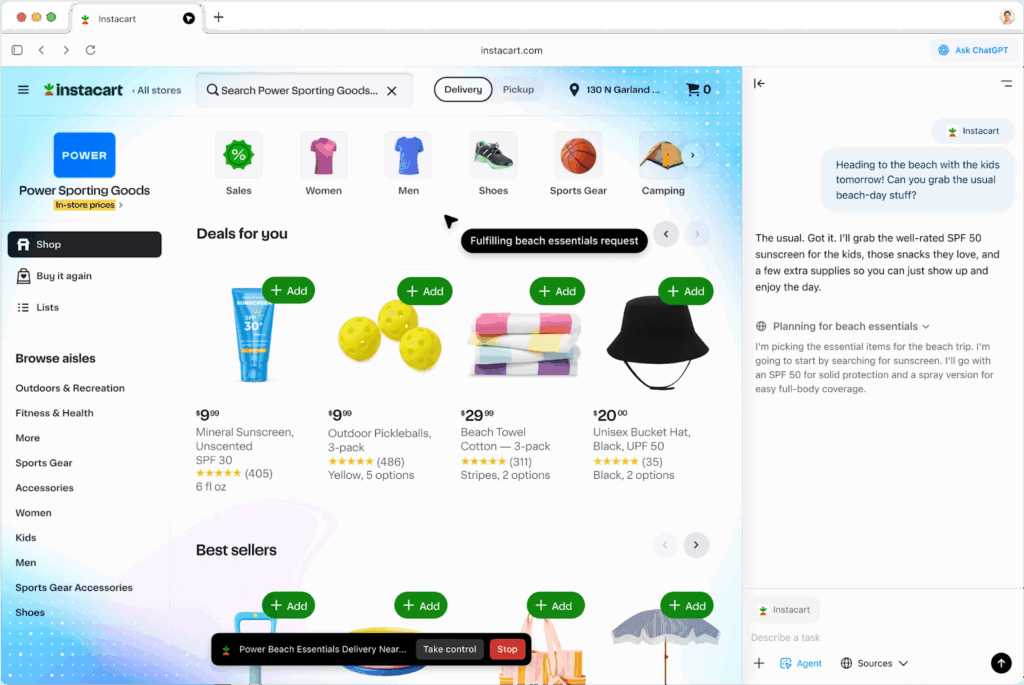
ChatGPT Atlas is a web browser with ChatGPT as its core assistant. Unlike conventional browsers that require manual input and navigation, Atlas enables users to interact with the web through natural language, drawing on context from current and past activity. It eliminates the need for copying content between apps by allowing ChatGPT to assist directly within the page.
Key features of ChatGPT Atlas:
- Embedded ChatGPT assistant: Interact with ChatGPT natively in the browser, with no need to switch tabs or copy content.
- Agent mode for task automation: Automates complex web tasks like researching, scheduling, and filling carts by acting on the user’s behalf within the browser.
- Browser memory: Remembers browsing context and past chats to provide smarter, more personalized responses.
- Context-aware interactions: Understands the content being viewed to offer relevant help, such as summarizing pages or suggesting next steps.
- Privacy controls: Allows users to view, archive, or delete browser memories and limit ChatGPT’s visibility on specific sites.
Learn more in our detailed guide to Atlas browser
2. Perplexity Comet

Perplexity Comet is an AI-powered browser designed as a hands-on digital assistant. At its core is the Perplexity engine, but it extends beyond search and summarization. Comet actively interacts with open tabs, manages distractions, integrates with email and calendar services, and can perform agent-like actions such as shopping, planning, or creating content.
Key features of Perplexity Comet:
- Built-in AI assistant (Comet Assistant): Executes search, research, and task delegation directly in the browser using natural language commands.
- Agentic browsing actions: Performs real actions across websites, navigating pages, filling out forms, and completing multi-step workflows like booking or purchasing.
- Tab organization and focus tools: Automatically groups tabs by category and closes distracting or irrelevant ones to simplify attention.
- Voice assistant integration: Enables spoken interaction with web content, open tabs, or broader internet queries, making the browsing experience conversational.
- Email and calendar access: Integrates with Gmail and Google Calendar to manage schedules, draft replies, and plan around real-time availability.

Learn more in our detailed guide to Comet browser
3. Opera Aria

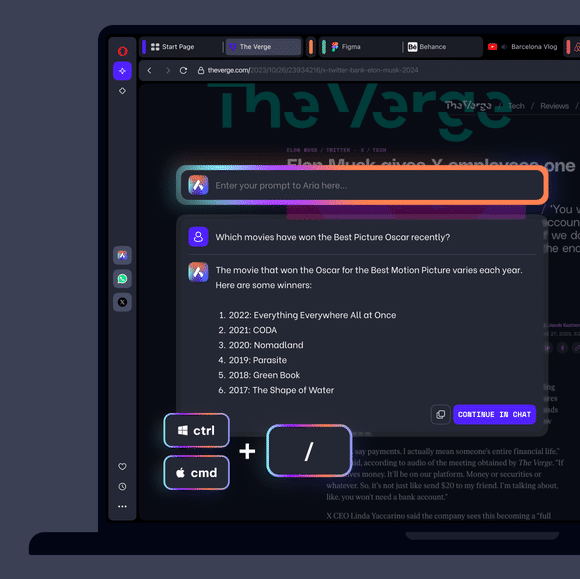
Opera Aria is a free AI assistant to enhance browsing in the Opera browser on desktop and mobile. It blends real-time web access with AI features to assist users with research, content creation, and tab management. With Aria, users can generate text and images, control browser tabs with commands, and interact with webpages directly without needing to switch apps or log in.
Key features of Opera Aria:
- Command line access: Summon Aria instantly using Ctrl / or Cmd /, with Tab key shortcuts to switch between modes like writing, tab control, and page context.
- Agentic tab commands: Use natural language to organize, group, pin, or close tabs automatically, no dragging or manual cleanup needed.
- Text and image generation: Create social media graphics, study notes, and written content directly from prompts, right within the browser.
- Image understanding: Upload pictures to get analysis, product suggestions, location insights, or automatic transcriptions of notes and slides.
- Web interaction and context mode: Highlight any text on a webpage and Aria will explain, translate, or expand on it, helping unpack complex ideas or unfamiliar terms.
4. Microsoft Edge Copilot Mode

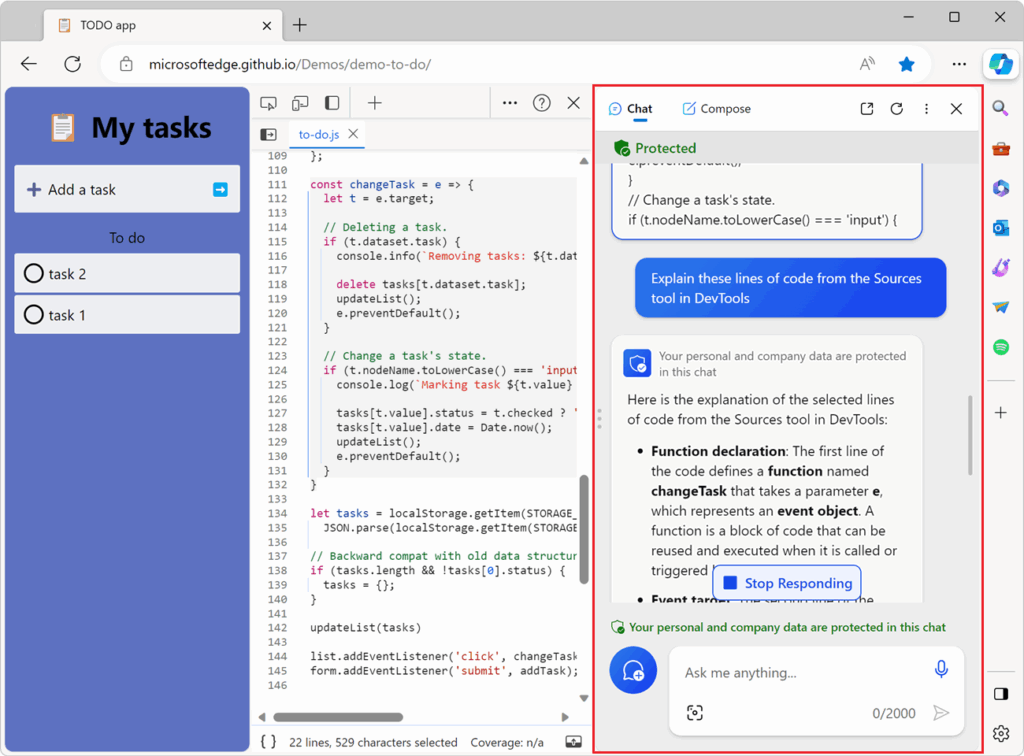
Copilot Mode in Microsoft Edge is an experimental browsing experience intended to turn the web browser into a more intelligent, proactive assistant. Built directly into Edge, Copilot Mode blends AI capabilities with Microsoft’s browser to help users browse smarter. It introduces tools for summarizing pages, generating content, navigating websites, and performing contextual actions.
Key features of Microsoft Edge Copilot Mode:
- Integrated AI experience: Copilot Mode is built into Edge, providing native AI capabilities without relying on external tools or extensions.
- Context-aware assistance: Uses page content to offer summaries, action suggestions, and enhanced navigation based on what is being viewed.
- Content generation tools: Write emails, generate text, or summarize long articles directly in the browser with help from built-in AI models.
- Video highlights: Automatically identifies and summarizes key moments in online videos for faster content consumption.
- Optional memory feature: Stores context from browsing sessions to improve future suggestions and interactions, fully user-controlled.
5. Brave Leo

Brave Leo is a privacy-focused AI assistant built into the Brave browser to make web pages interactive and responsive to questions and tasks. It operates without requiring an account or login, and it doesn’t store conversations or use them for training, ensuring private, anonymous interactions by default.
Key features of Brave Leo:
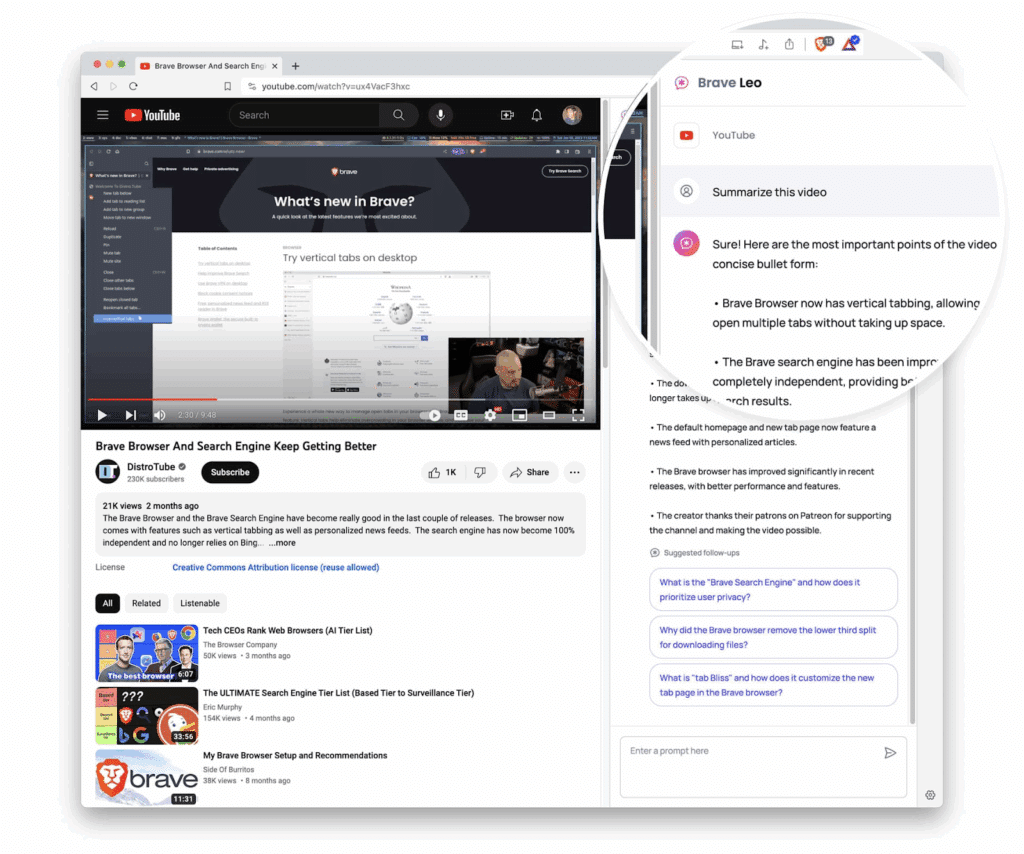
- On-page AI assistant: Chat with Leo in the sidebar to summarize content, ask questions, or generate text without navigating away from the current page.
- Private by design: No login is required, and chats are never stored, shared, or used to train AI models, ensuring a fully anonymous experience.
- Document and file analysis: Analyze PDFs, Google Docs, Google Sheets, and more to extract key insights directly in the browser.
- Translation and text analysis: Translate content or break down complex text in real time using natural language prompts.
- Content creation tools: Use Leo to generate writing ideas, rephrase content, or create new material based on a given context.
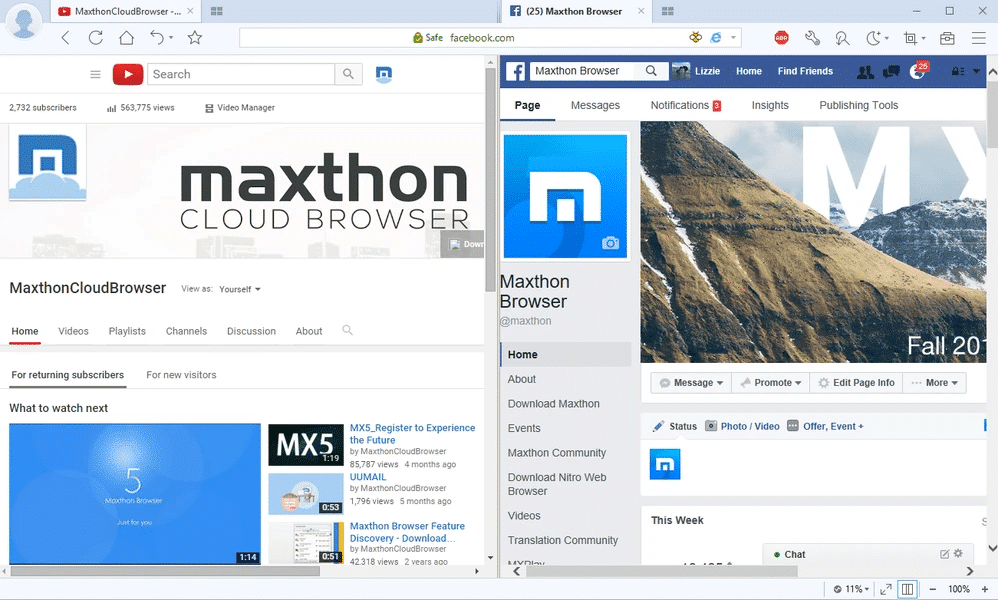
6. Maxthon

Maxthon is a privacy-focused, AI-enabled browser for modern users and Web3 environments. It combines security features with smart browsing tools and cross-device synchronization. With integrated ad-blocking, anti-IP tracking, a free VPN, and anti-phishing protections, Maxthon ensures secure, private browsing by default.
Key features of Maxthon browser:
- AIchat assistant: Engage in AI-powered conversations from the sidebar or homepage for help with browsing, quick answers, or general assistance.
- Privacy-centric design: Includes anti-IP tracking, ad-blocking, incognito mode, anti-phishing, and a free VPN to protect data and identity online.
- Web3-ready architecture: Built with blockchain-era compatibility in mind, supporting decentralized web use cases and features.
- Cross-device synchronization: Offers seamless sync of tabs, notes, and settings across Android, iOS, macOS, and Windows for consistent browsing anywhere.
- Integrated notes and password manager: Securely manage passwords and take quick notes without relying on third-party services.
7. Dia

Dia is an AI-powered browser built by the creators of Arc, intended to act as an always-available assistant across every tab, textbox, and task. Rather than simply enhancing search or summarizing pages, Dia embeds intelligence into the browsing experience, whether for writing content, planning projects, comparing products, or learning new material.
Key features of Dia browser:
- Inline writing assistant: Dia acts as a live editor inside any textbox, offering feedback, suggesting changes, or helping generate content without copy-paste.
- Context-aware tutor: Understand complex topics or compare multiple perspectives side-by-side with help from Dia in every tab.
- Planning and decision support: Whether organizing a project or comparing tools, Dia provides personalized suggestions based on open tabs and prompts.
- Conversational shopping guide: Interacts with retail sites to help users evaluate purchases, find alternatives, or talk themselves out of impulse buys.
- Privacy by design: User data is encrypted and stored locally. Only relevant data is sent off-device during a request and never used for training unless users opt in.

Learn more in our detailed guide to Dia browser
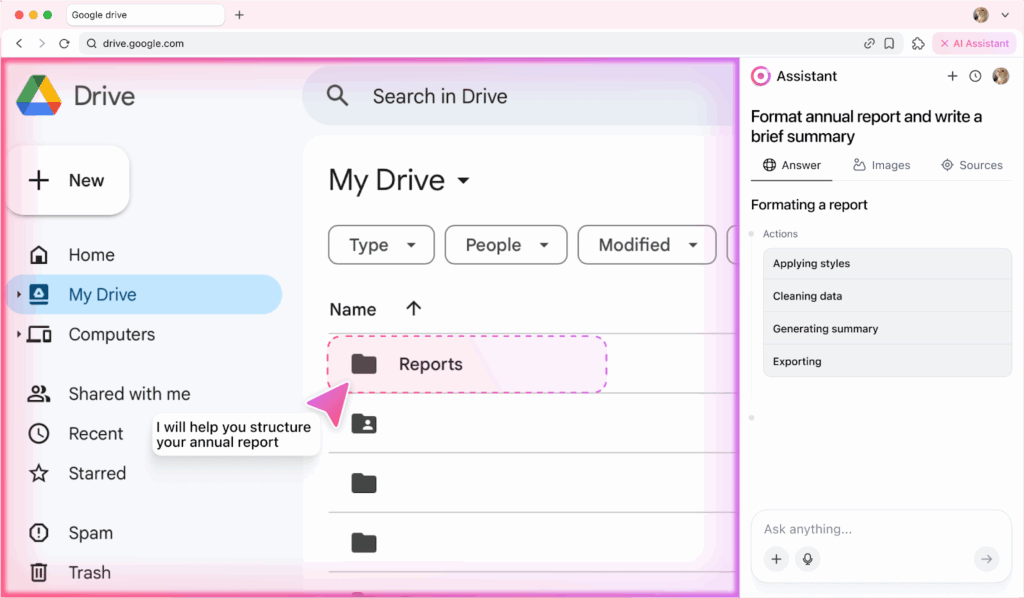
8. Sigma AI Browser

Sigma is an AI-first, agentic browser designed to not just navigate the web but to work inside it. Intended to function like a hands-on digital assistant, it can log into websites, fill out forms, complete checkouts, manage calendars, and carry out tasks using plain-language instructions. Powered by SigmaGPT, the browser understands user intent, breaks tasks into steps, and acts directly on websites.
Key features of Sigma AI browser:
- Agentic task execution: Logs into sites, clicks, types, and completes tasks inside websites, just like a real assistant operating in the browser.
- Plain-language commands: Users describe tasks in everyday language, and Sigma handles the steps automatically, no scripting or setup required.
- Workflow automation: Automates complex sequences like sending emails, submitting forms, closing tickets, or posting content across platforms.
- Memory-based actions: Recalls relevant information (like names, dates, or preferences) and applies it across tasks without needing re-entry.
- Deep research tools: Searches academic journals, datasets, and trusted sources to surface summarized, citation-backed insights.
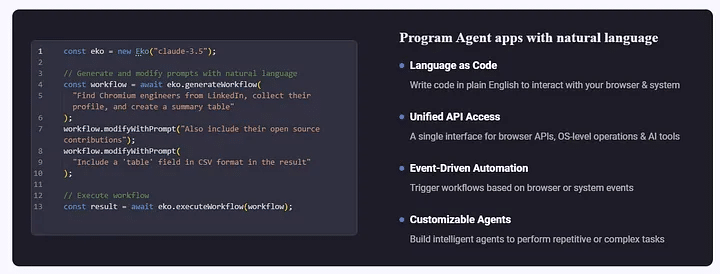
9. Fellou.ai

Fellou is an agentic browser that moves beyond passive browsing and delivers end-to-end task automation. From booking flights and compiling reports to running competitive research and managing files, it executes multi-step workflows across the web and desktop using natural language instructions.
Key features of Fellou.ai browser:
- Deep action agent: Automates entire workflows, logging in, clicking, typing, and completing tasks across multiple platforms.
- From prompt to plan to execution: Translates user intent into a detailed action plan, which users can review, edit, or approve before execution begins.
- Cross-app web automation: Works inside tools like Google, Notion, Reddit, and X to gather data, compare features, and compile reports.
- Multi-source research automation: Conducts deep research across open and logged-in sources, and delivers traceable, well-structured reports with verifiable insights.
- System-level control: Operates desktop apps and manages local files, enabling a truly unified workflow across browser and OS-level tasks.
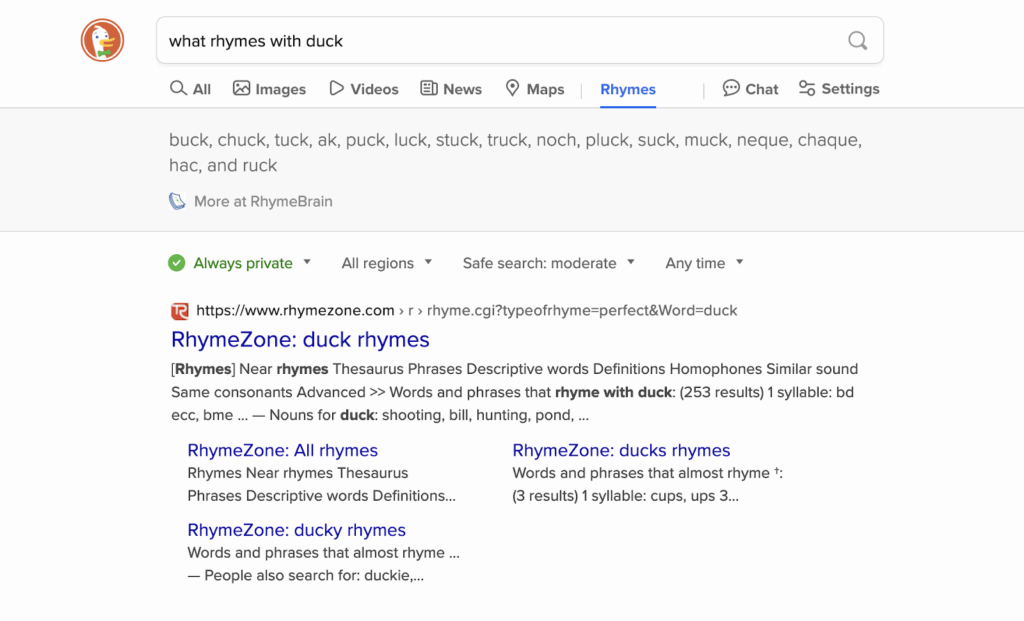
10. DuckDuckGo

DuckDuckGo is a privacy-focused browser to protect personal data by default on desktop, mobile, and through browser extensions. Unlike traditional browsers that allow third-party tracking, targeted ads, and data collection, DuckDuckGo actively blocks hidden trackers, cookie pop-ups, and other intrusive behaviors on most websites.
Key features of DuckDuckGo browser:
- Private AI chat: Chat with popular AI chatbots like ChatGPT and Claude without the conversation being tracked.
- Third-party tracker blocking: Automatically blocks trackers from Google, Facebook, and others across every site.
- Ad and cookie pop-up blocking: Stops most ads before they load and opts out of cookie pop-ups where possible, reducing clutter and interruptions.
- One-click data deletion: Quickly delete tabs, history, and all browsing data with a single click.
- YouTube privacy mode: Watch videos without being targeted by YouTube’s ad system.
Challenges and Limitations of AI Browsers
Privacy and Data Security
AI browsers often need to analyze the content users interact with, raising concerns about how much personal and behavioral data is collected, processed, and potentially transmitted to third-party servers.
While robust AI features provide utility and convenience, they also create new attack surfaces if implemented without strong encryption and data isolation. Browsing habits, form entries, and even voice commands could expose sensitive information if privacy controls are lacking.
Accuracy and Reliability
AI-driven features hinge on the accuracy of underlying models, but error rates and hallucinations (misstatements by generative models) remain real risks. Summaries can miss nuance, suggested actions may be contextually inappropriate, and voice commands may misinterpret intent.
Users relying solely on AI-provided information risk making decisions based on incomplete or incorrect insights, with potential negative consequences depending on the situation. Reliability issues can also emerge from integration failures, such as incomplete parsing of complex web layouts or incompatibilities with certain sites.
Usability and Adoption Barriers
AI browsers introduce new interfaces and workflows that may be unfamiliar to users of standard browsers. Adapting to AI dialog boxes, new automation panels, or voice navigation features requires a learning curve that can hinder widespread adoption, especially in corporate or older user demographics.
If AI suggestions are intrusive or too frequent, users may find them distracting rather than helpful. Consistent design, thorough onboarding guides, and the ability to customize AI behaviors are key to overcoming usability challenges.
Device Limitations
AI browsers, especially those performing complex language or vision processing, require higher computational resources and network bandwidth than standard browsers. On lower-powered devices or slower connections, this can lead to sluggish performance, delayed responses, or features being unavailable.
Some mobile-optimized browsers may need to offload tasks to the cloud, raising privacy or connectivity concerns. Adaptation to a range of hardware remains a challenge. Lightweight versions or modular AI components are emerging solutions, but they often provide only partial feature sets.
Pro Tips for Using AI Browsers Securely
Below are key tips to mitigate security risks when using AI browsers:
- Limit what the agent can access: Don’t grant full permissions by default. If the browser or AI-agent asks for broad access to your email, calendar, contacts or payment info, evaluate whether you need that. These tools often ask for “agent mode” access that gives them significant reach.
- Use action confirmations for high-risk tasks: Require a human-in-the-loop step before the agent executes any sensitive action (e.g., making purchases, transferring data, deleting things). Research shows prompt injection attacks succeed if the agent acts unilaterally.
- Separate tasks and identities: If possible, use a dedicated browser session/user profile or container for AI-agent tasks, don’t mix it with your everyday browsing/financial accounts. This limits the blast radius if something goes wrong.
- Audit and monitor agentic activity: Check the logs or activity history of whatever AI browser you use: what sites did the agent visit? What actions did it perform? Transparency helps detect unauthorized behaviour.
- Keep software and extensions updated: As with any browser, but especially one with agentic features, vulnerabilities are emerging in new browsers/agents. For example, one flaw in a major agentic browser was patched after it could allow full takeover of the agent.
- Restrict third-party extensions or plug-ins: Because agentic browsers often integrate deeply with web content, malicious extensions (or compromised ones) can elevate risk, for example, injecting overlays or hidden UI to trick the agent.
- Avoid using the agent for the most sensitive tasks: For highly sensitive things (large financial transfers, top secret data, privileged admin accounts), it may be safer to perform manually rather than trust an autonomous agent. If you do use it, make sure there are extra safeguards.
Conclusion
AI browsers mark a shift from passive web navigation to interactive, autonomous experiences that can assist with research, automate tasks, and personalize content consumption. However, their advanced capabilities come with complex security, privacy, and reliability considerations. Users need to stay informed about how these browsers operate, what data they access, and how autonomous actions are managed. Understanding both the strengths and risks is essential to making effective use of AI-enhanced browsing while maintaining control and safeguarding sensitive information.
About the Author