The World Wide Web is now over 30 years old, and commercial browsers have existed for nearly as long. Enterprises have been using browsers since at least the late 90s when application vendors began to eschew conventional “thick clients” and embrace web-based backends, and with browsers as clients. So, what does the emergence of a new category of enterprise software called “enterprise browsers” signify?
Browsers: The First Consumer Apps in the Enterprise
While browsers have been a mainstay of enterprise application delivery for many years, they were never designed as enterprise applications: they lacked security and management features that are typically part of enterprise software. When the majority of both users and applications were on-premises, those missing capabilities were less of an issue: some controls, such as data access restrictions, could be implemented in the applications themselves, others, such as content filtering, could be implemented with external network infrastructure. As a result, browsers were slower to adapt to enterprise IT requirements than other consumer technologies that emerged later and found their way into the hands of enterprise users.
Enterprises Evolve; Browsers Stay [Mostly] the Same
In response to increasing threats against the large consumer user base, many browser vendors implemented protections like Safe Browsing. They also added some basic administrative hooks to enable the management of browsers like other enterprise applications (e.g., using endpoint management tools to set common configuration settings). The migration to SaaS applications and the exodus of users from centralized offices increased the dependence on browsers but also created considerable strain on the security infrastructure.
The Enterprise Browser Emerges
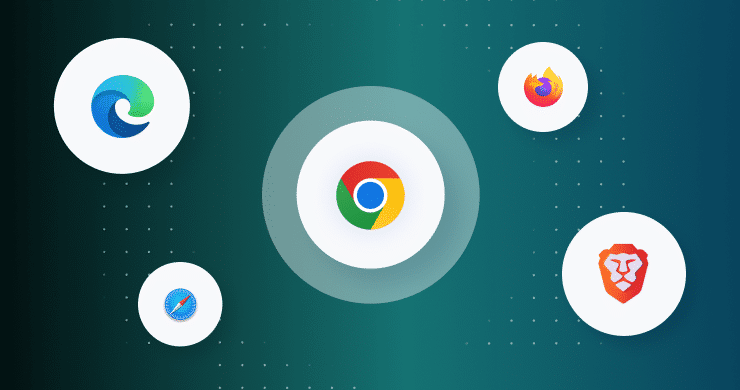
The idea of an enterprise browser is one in which the enterprise has the ability to enforce both its security policies and its governance rules. Seraphic Security enables organizations to transform its existing browsers into enterprise browsers, regardless of whether they’re using Chrome, Edge, Firefox, or Safari, without forcing users to switch browsers. We also support legacy browsers such as Internet Explorer for cases where application compatibility necessitates using browsers that have reached End-of-Life (EoL). Seraphic provides advanced security capabilities to protect users and endpoints from compromise via the web, as well as granular controls to prevent sensitive data leakage or loss via the browser for both managed and unmanaged devices.
Common Threats Mitigated by Enterprise Browsers
As the modern workforce increasingly relies on web-based applications and cloud services, the browser has become a prime target for cyberattacks. Enterprise browsers are designed to neutralize a wide range of browser-native threats that traditional security tools often overlook. One of the most prevalent risks is phishing, where attackers trick users into revealing credentials or downloading malicious payloads. Enterprise browsers can block access to known malicious sites and detect suspicious URLs in real time, stopping these threats before they reach the user.
Shadow IT is another growing challenge, with employees accessing unsanctioned applications that introduce compliance and security risks. Enterprise browsers give IT teams granular control over which apps and services can be accessed. By addressing these common browser-based threats, enterprise browsers close critical security gaps and protect organizations where it matters most — at the point where users interact with the web.
Enhancing Productivity Without Compromising Security
One of the challenges in implementing stringent security measures is maintaining user productivity. Enterprise browsers strike a balance by providing seamless user experiences while enforcing security policies. They achieve this by integrating with existing identity providers and offering granular control over browser functionalities. For instance, organizations can restrict access to certain websites, control file downloads, and monitor user activities without impeding legitimate workflows. This approach ensures that employees can perform their tasks efficiently while the organization maintains a strong security posture. By aligning security measures with user needs, enterprise browsers foster a secure yet flexible working environment.
Conclusion: Embracing the Future of Secure Browsing
As our workspace continues to go digital, the importance of securing the browser cannot be overstated. Enterprise browser security platforms like Seraphic offer a forward-thinking solution, embedding security directly into the browsing experience without disrupting user workflows. By adopting Seraphic, organizations can proactively defend against emerging threats, ensure compliance with security policies, and empower their workforce with the tools they need to succeed. Embracing this technology is not just a strategic move for enhanced security, it’s a step towards a more resilient and adaptable digital future.
For more details, visit https://seraphicsecurity.com.
About the Author